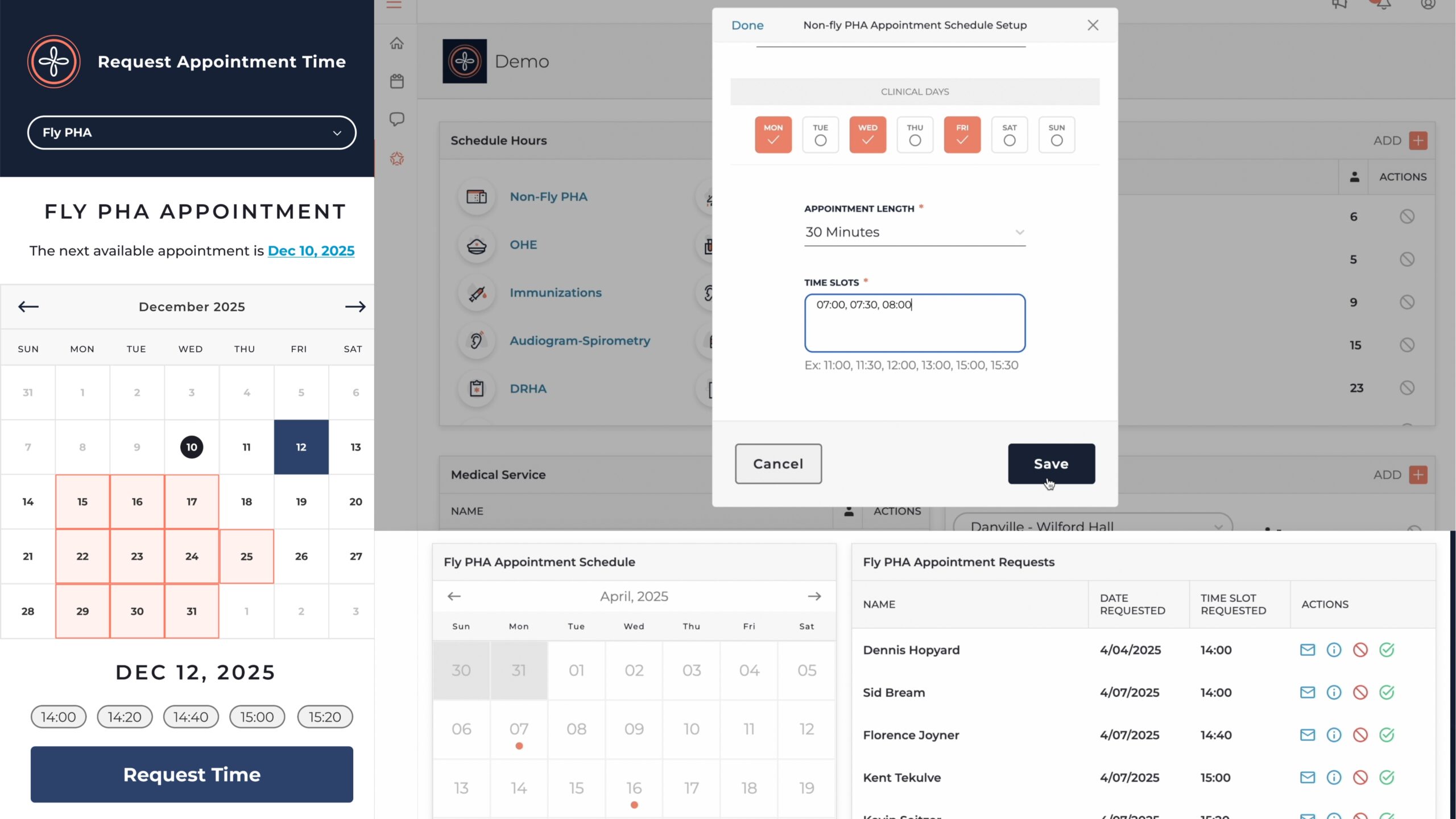
We’re excited to release a new video walkthrough series exploring key parts of the Outpatient App Scheduling System from both the service member and clinic perspectives. Whether you’re a new user or looking to better understand how scheduling works, this video series is a great place to start.
1. Self-Scheduling Overview (Service Member View)
In the first video, we demonstrate how service members can quickly request appointments on their phones.
- Users select the appointment type (e.g. PHA, Dental) and are prompted to confirm pre-requirements like completing their PHA Part A.
- If a user checks “Yes” but hasn’t actually completed the requirement, the appointment request will be automatically rejected with a reminder to complete it first.
- This walkthrough is helpful for educating service members on what to expect and how to avoid unnecessary rejections.
2. Admin UX: Reviewing & Managing Requests
This video covers the Medical Staff dashboard, where admins can review appointment requests in real-time.
- Admins can verify whether the patient has met required pre-checks (ASIMS, Part A, etc.).
- Appointment requests can be confirmed, declined, or adjusted with a single click.
- It’s a fast, intuitive way to manage scheduling while reducing back-and-forth.
3. Temporarily Adjusting Provider Availability
Scheduling conflicts? Clinic closures? This video shows how admins can make one-time changes to provider availability.
- Temporary overrides do not affect the master template.
- Admins can close out a single day or reduce provider capacity for any reason.
- Ideal for handling sick days, holidays, or operational shifts.
4. Super Admin View: Managing the Master Schedule Template
This video is for those with Super Admin permissions and walks through creating and editing the Provider Schedule Template.
- Templates control recurring appointment availability (e.g., 20-minute slots on Tue/Thu from 0800-1200).
- This setup is typically done during initial onboarding or when clinic schedules change.
- Since it affects all downstream scheduling, it’s usually handled by one or two designated Super Admins per clinic.
These walkthroughs offer a clear and practical overview of how the Outpatient App improves medical readiness scheduling from both ends of the workflow.